

I received this product at no cost for review purposes. My opinions are entirely my own and were not influenced by the company. They have no control over the content of this review.
Long charging sessions don’t have to mean wasted time anymore.
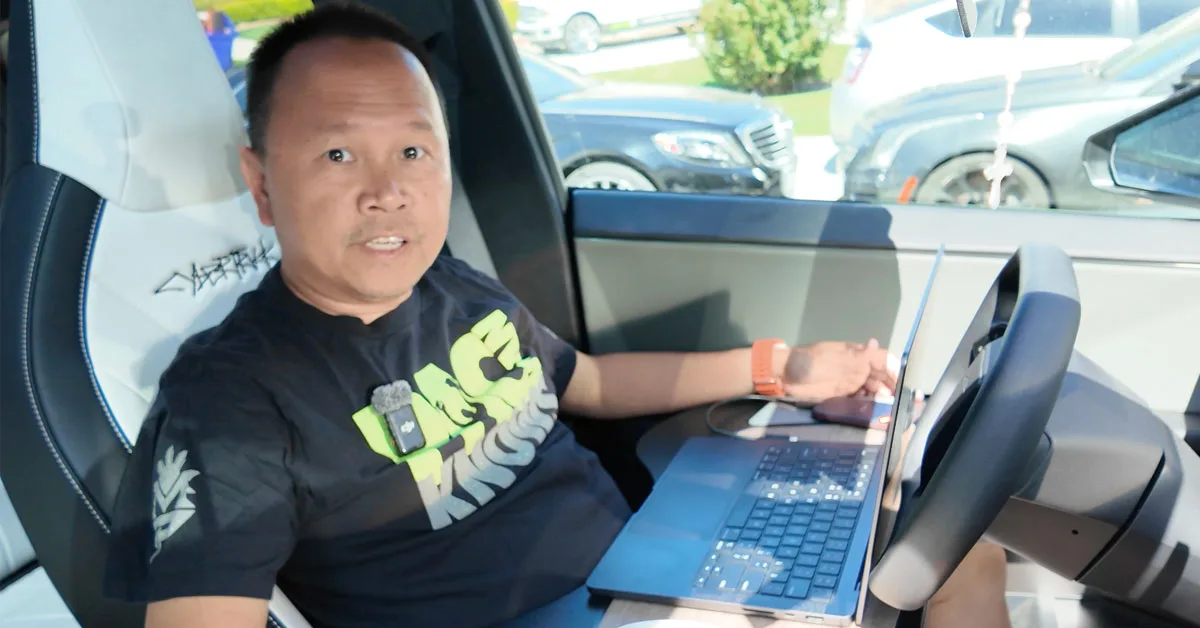
As an EV owner since 2019, I’ve spent countless hours sitting in charging stations, watching the battery slowly fill up. Between my Cybertruck’s massive battery and the painfully slow 72kW local Supercharger, I was burning through hours of potential work time. That’s when I decided to turn my EVs into mobile productivity hubs.
The EV Productivity Game-Changer: Foldable Car Trays
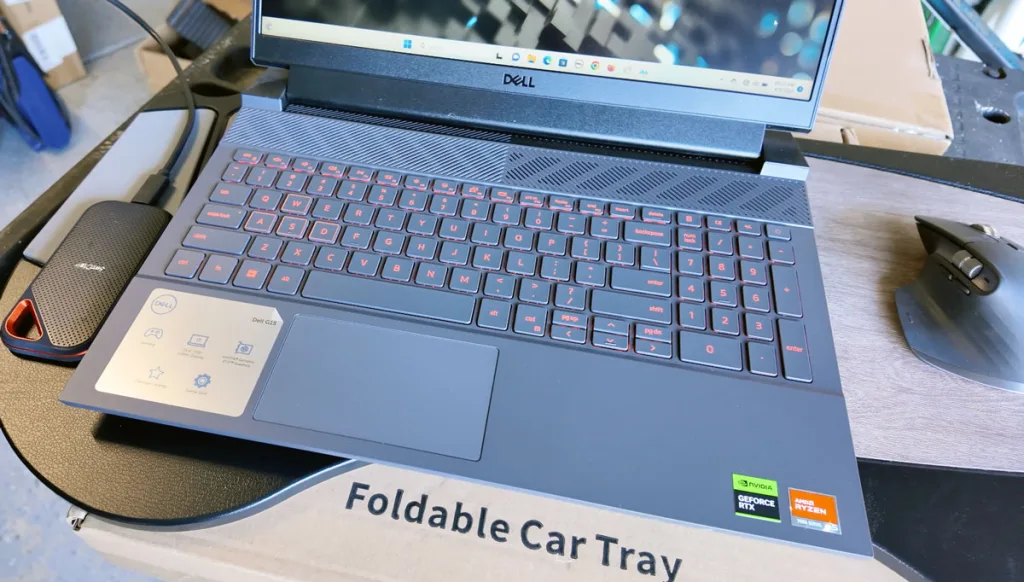
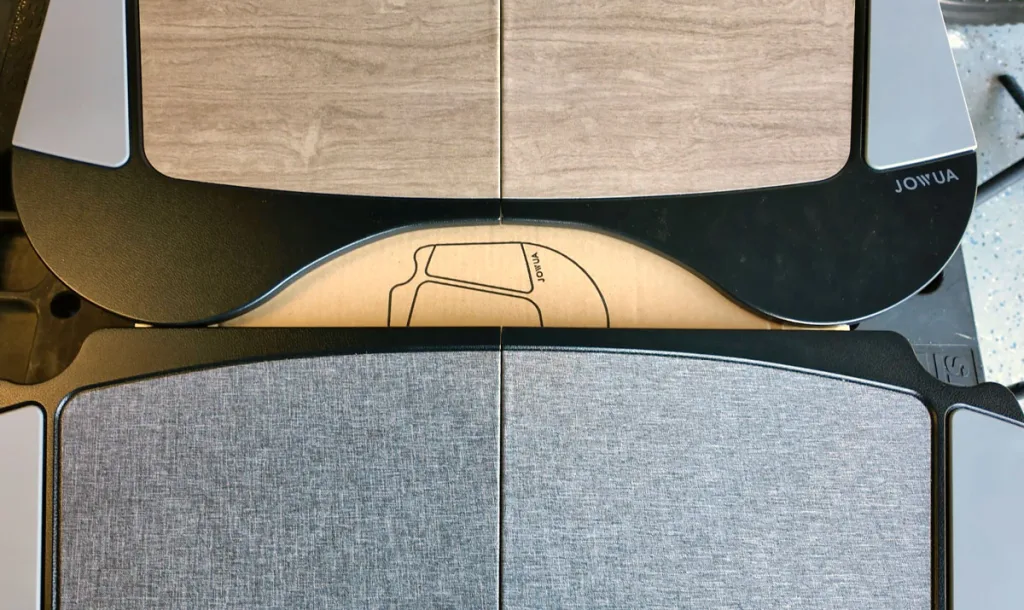
The foundation of any mobile EV productivity setup starts with a proper work surface. After testing Joah’s foldable car tray across my Cybertruck, Model Y, and Rivian R1T, I can confidently say this thing is built different.
This isn’t some flimsy plastic surface. We’re talking premium quality, non-warping wood that’s water-resistant and sturdy enough to handle my MacBook Pro 14-inch M3 Max, wireless mouse, and portable hard drive simultaneously. The design perfectly contours around your body – even accommodating what I call “Buddha’s belly” on those extra-rice days.
- Material: Premium non-warping wood, water-resistant finish
- Compatibility: Designed for Tesla but works in Rivian and other EVs
- Size Support: Fits 14-inch and 15-inch laptops comfortably
- Storage: Folds flat, fits under seats or in trunk/frunk
- Design: Three durable hinges, ergonomic contour shape
The tray works by resting on your door handle area and center console, creating a stable platform that doesn’t slide around. I’ve edited entire videos using this setup during charging sessions, and the ergonomics are surprisingly comfortable.
Solving Tesla’s Biggest EV Productivity Fail
Here’s where Tesla dropped the ball – every EV except the Cybertruck lacks proper outlets. My old minivan had outlets, but somehow Tesla’s “revolutionary” vehicles don’t? That’s where Joah’s power solutions come in clutch.
For Starlink Mini connectivity (essential for reliable internet during remote charging), you need their USB-C power cable paired with their 100W car charger. The Starlink Mini doesn’t come with a USB power adapter, so this combo transforms your 12V outlet into a proper power delivery system.

- Cable Length: Long enough to reach from 12V outlet to optimal Starlink positioning
- Power Rating: 100W power delivery through USB-C
- Dual Output: USB-C and USB-A ports available
- Compatibility: Works with Starlink Mini and other USB-C devices
Pro tip: Set your Tesla to Camp Mode to keep the 12V outlet powered even when the car goes to sleep. Otherwise, your Starlink will shut down when the vehicle enters standby.
Phone Mount That Actually Works for EV Productivity
Most phone mounts are garbage – especially those adhesive ones that turn into gummy messes in hot climates like California and Arizona. Joah’s 6D invisible fold-away mount uses a washable, reusable suction cup design that’s actually removable without leaving residue.
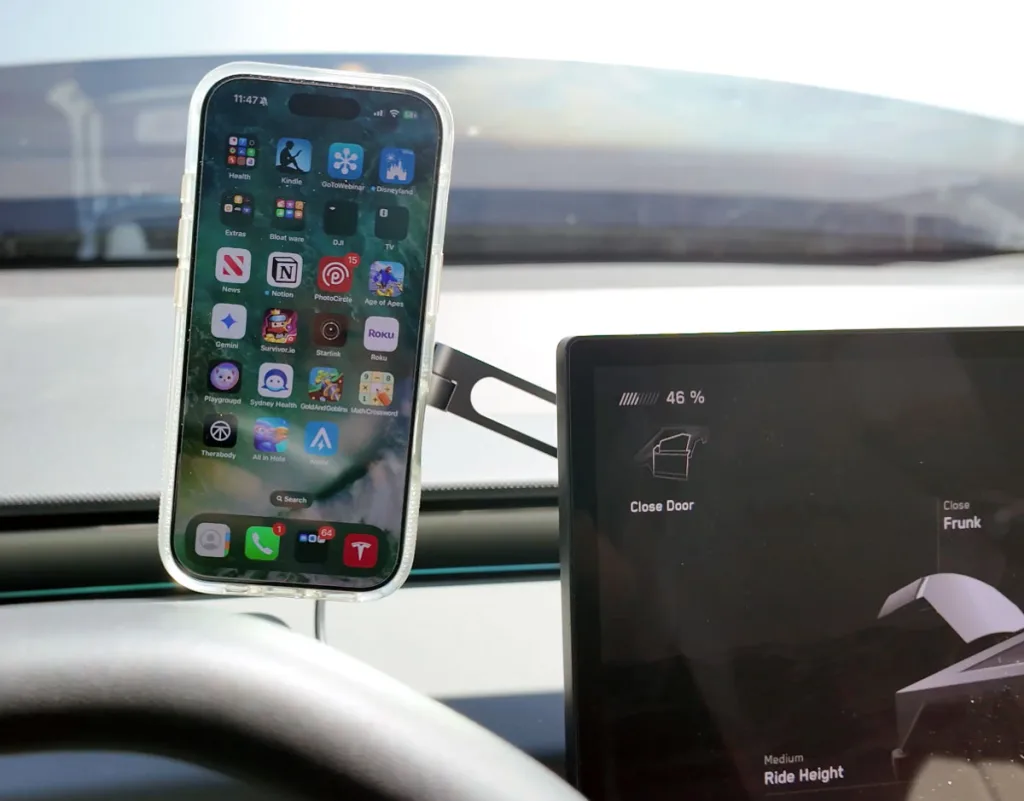
The mount extends and retracts, rotates 360 degrees, and includes a 90-degree USB-C cable for charging. Four cable clips help you route the charging cable cleanly along your interior. Whether you need your phone in portrait or landscape mode, this mount handles it without the permanent commitment of adhesive solutions.
- Design: Suction cup base, no adhesive required
- Adjustability: Extending arm, 360-degree rotation
- Charging: Includes 90-degree USB-C cable and clips
- Compatibility: MagSafe compatible, works with most phones
- Maintenance: Washable and reusable suction cup
Real-World EV Productivity Testing Results
I’ve tested this entire setup across three different EVs, and here’s the honest breakdown:
Cybertruck: Perfect fit. The tray design seems made for Tesla’s interior dimensions. Plenty of legroom, and the 110V outlets make power management effortless.
Model Y: Excellent compatibility. You might need to adjust the steering wheel position for optimal clearance, but the tray sits rock-solid on the door handle and center console.
Rivian R1T: Functional but not ideal. The tray touches your legs due to different interior geometry, and there’s some wobble. Still usable, especially during long Rivian Adventure Network charging sessions.
The rear seat setup works across all three vehicles with some adjustments. You’ll need to fold down the center console cup holders, and in the Model Y, you’ll want the additional accessory kit that replaces one side with magnetic legs.
Why This EV Productivity Setup Actually Matters
This isn’t just about having cool accessories – it’s about maximizing the time you’re already spending in your EV. Large battery EVs like the Cybertruck and Rivian can take 45+ minutes even at fast chargers. Instead of scrolling social media or sitting idle, I’m editing videos, managing emails, and staying productive.
The combination of stable work surface, reliable internet, and proper device charging creates a legitimate mobile office. I’ve edited and uploaded multiple videos per week using this exact setup during charging sessions and road trips.
Whether you’re a content creator, remote worker, or just someone who values productivity, these tools transform dead charging time into valuable work sessions. The initial investment pays off quickly when you calculate the hours you’ll reclaim.
Ready to turn your EV into a productivity powerhouse? Start with the foldable tray – it’s the foundation that makes everything else possible. Your charging sessions will never feel like wasted time again.
Leave a Reply