
I received this product at no cost for review purposes. My opinions are entirely my own and were not influenced by the company. They have no control over the content of this review.
While the new Model Y Juniper has a built-in rear screen, most of us with current-gen Model Ys are left with a blank space in the back.
Today, I’m unboxing and installing the Tes Studio R89 Rear Entertainment Screen. Tes Studio sent this over for an honest review, and I’m going to walk you through the installation process, the technical specs, and how it actually performs in the real world.
Unboxing and First Impressions
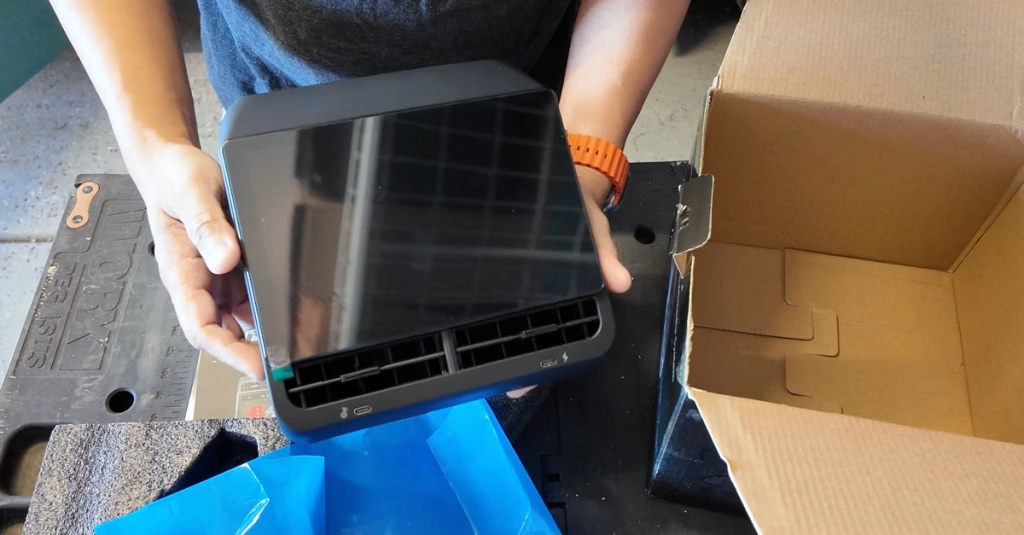
The R89 is a sleek unit designed to replace the back panel of your center console.
- Vent Control: Unlike many aftermarket screens, the R89 allows you to manually adjust the air vents up, down, left, and right. The two vents are independently adjustable, which is a nice touch for rear passengers.
- Connectivity: It features two USBC ports at the bottom and a built-in speaker for standalone audio.
- Compatibility: This specific unit is designed for the AMD Ryzen processor found in newer Model Ys, but Tes Studio also offers an Intel version. Always check your car’s “Software > Additional Vehicle Information” tab before ordering!
Installation: Easier Than It Looks
I was a bit intimidated by the wiring at first, but the installation was surprisingly straightforward.
- Remove the Console Trim: Use the included pry tool to pop off the back panel of the center console.
- Unscrew the Vents: You’ll need a T15 Torx driver to remove the two screws holding the factory vents in place.
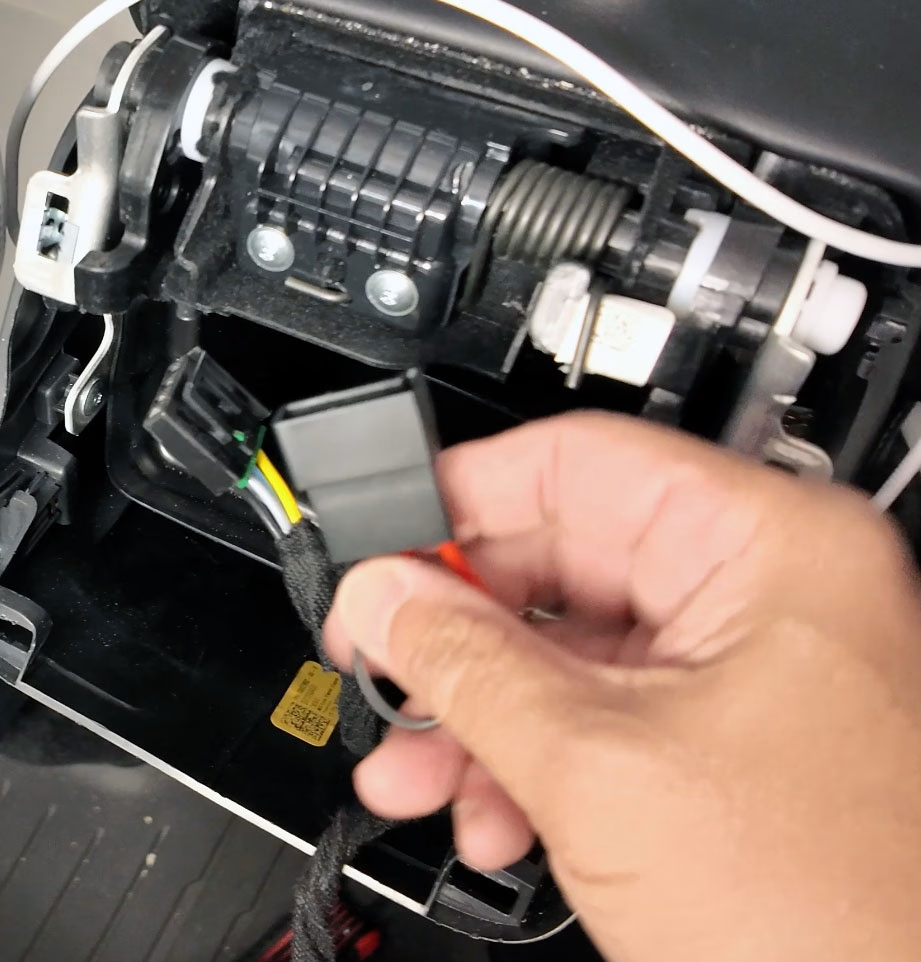
- The Harness: You’ll unplug a blue connector on the left side and place the R89’s wire harness in between.
- CRITICAL STEP: There is a small bridge piece included in the harness. Do not ignore it. If you don’t plug this in, your factory USBC ports in the center console will stop charging.
- Routing: I found a great path for the long cable that avoids any pinching when the passenger seat moves.
Technical Specs and Android OS
The R89 runs on Android 13 and offers a lot more flexibility than the factory Tesla screens found in the S or X.
- Storage: It comes with 32 GB of internal storage (about 14 GB free after the system and pre-installed apps).
- Connectivity: It supports Wi-Fi and Bluetooth. While it has a built-in “APK Pure” store, I recommend logging into your Google Play Store account for more secure app downloads.
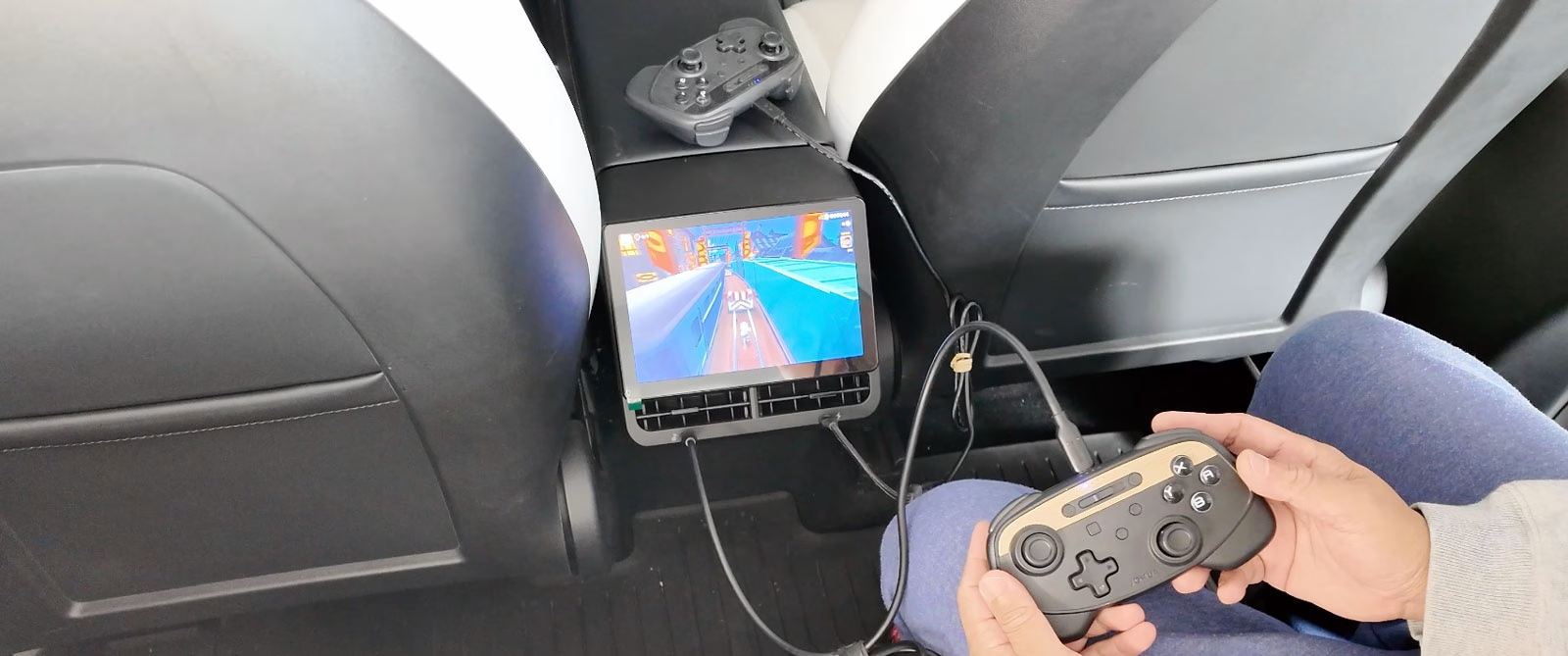
- Entertainment: I successfully tested YouTube and even a few light games like Subway Surfers.
- Bluetooth Support: You can connect up to two Bluetooth devices simultaneously. I successfully paired my Bose QC Ultra headphones and a Pro Controller for gaming.
Features for the Rear Passengers
One of the coolest features—and something Tesla only recently added to their flagship cars via software—is the ability to control the front passenger seat from the rear screen.
- You can slide the seat forward or backward and even recline it to give rear passengers more legroom.
- You also get full control over the heated seats for all three rear positions.
The Learning Curve
It’s not perfect. There’s a bit of a learning curve because you’re navigating an Android system with a custom skin on top. For instance, the pre-installed Bluetooth app was a bit buggy; I found it much more reliable to go into the “Native Android Settings” to pair my controllers and headphones.
The interface can be a little laggy when navigating the Play Store, but once you’re inside an app like YouTube, it’s smooth and responsive.
Final Verdict
If you aren’t planning on upgrading to a Model Y Juniper anytime soon, the Tes Studio R89 is a fantastic upgrade. It gives your kids or passengers high-quality entertainment and gives you back control over your front screen. Plus, the ability to adjust vents and seats from the back adds a level of luxury the Model Y was missing.
Check out the R89 – https://batutin.net/tesstudio-r89 (Affiliate link)
Get 20% off your purchase use discount code: sherwin
Customer Service: support@tesstudio.com